Early Access: Join the waitlist and be first to know when we launch.  Sign up free →

Build Perfect
Gang Sheets
In Seconds

The fastest desktop gang sheet builder for DTF — runs locally on your Windows PC. Drop your artwork, click build, get a print-ready sheet in seconds. No browser uploads, no slow rendering, no waiting on a web app. Everything happens on your desktop, so layouts are instant and results beat any online gang sheet builder.

<5s
Typical Build Time
~15min
Saved Per Build
15+hrs
Saved Per Month

Everything You Need to
Pack Smarter, Build Faster

Built specifically for direct-to-film printers — every feature is engineered to save time, cut material costs, and run faster than any web-based gang sheet tool on the market.

🔬
Edge Sealer 1.0 Proprietary

Automatically eliminates stray transparent pixels along artwork edges on designs 200 DPI and under — your transfers print crisp, sharp, helping prevent unwanted white edges on your DTF prints.

✂️
AutoTrim Proprietary

Automatically detects and removes blank transparent space from around your artwork before packing. No wasted room from oversized canvases or invisible borders — every design is packed at its true printed size.

SmartNest 1.0 Proprietary

Runs 40 layout passes per build, testing different orderings and rotations to find the arrangement that wastes the least direct-to-film material — automatically, every time.

🎛️
Interactive Preview Editor

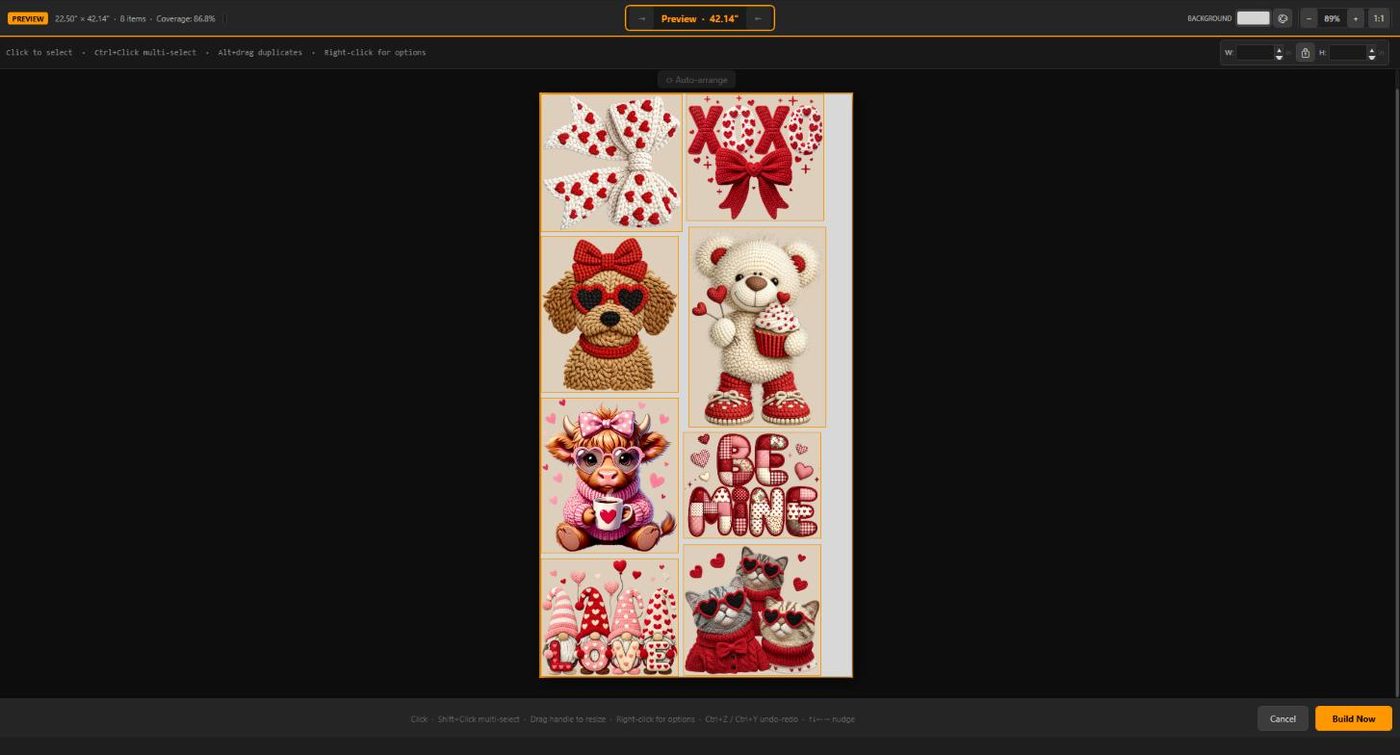
Drag, nudge, and rearrange designs on the sheet before export — with undo, multi-select, per-sheet auto-arrange, and a live total media length readout.

📏
Multi Size Import

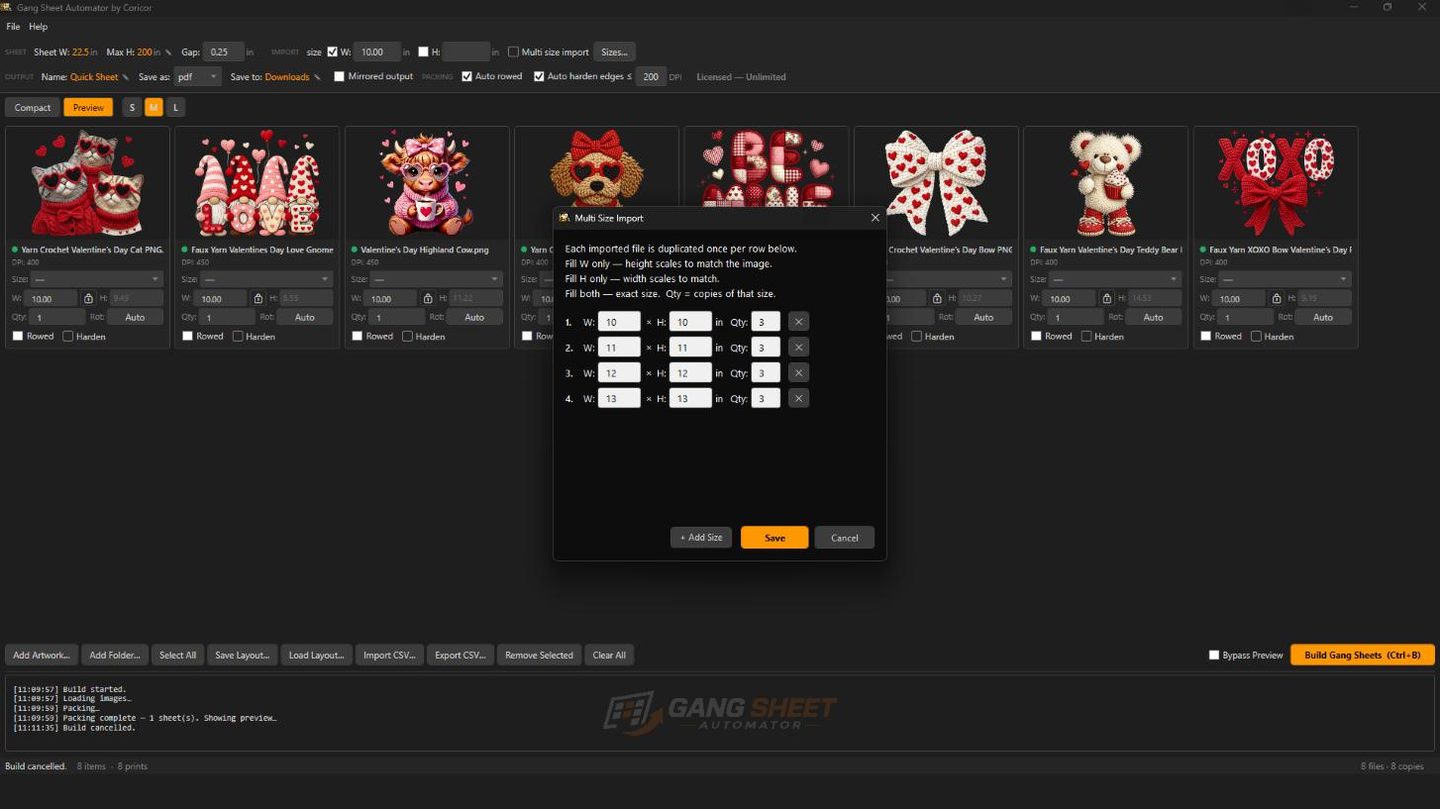
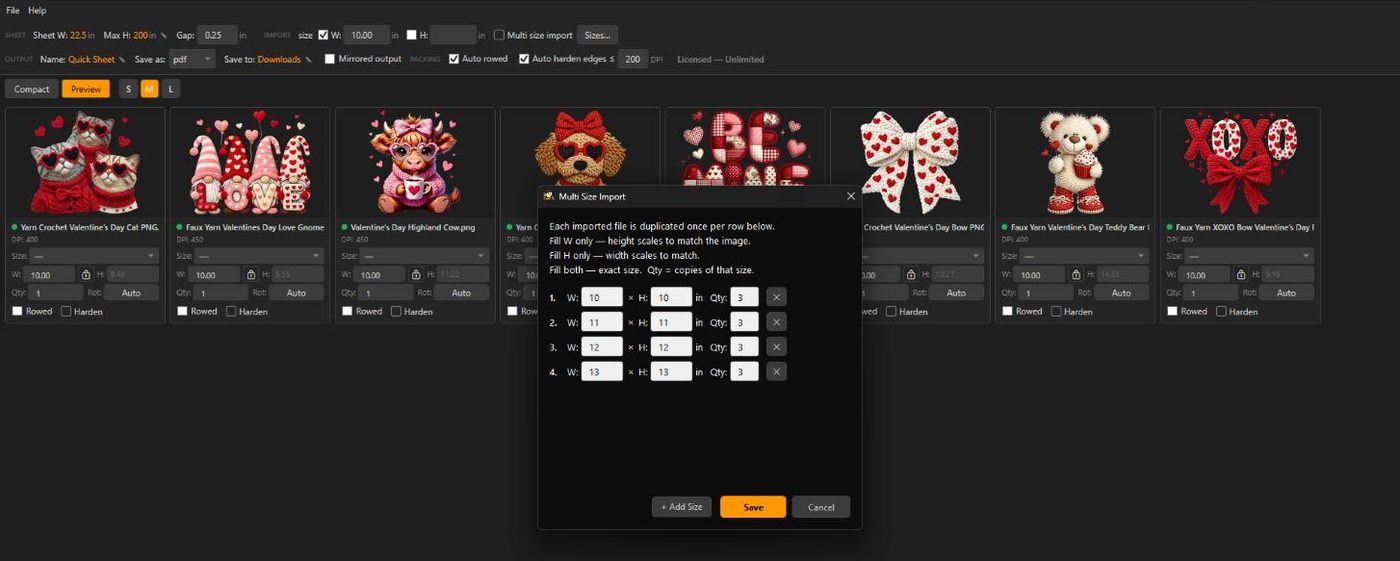
Define a size run once — every imported design is automatically duplicated into all your sizes and quantities. One file in, a full size run out.

🚀
Blazing Local Speed

Everything runs on your machine — no file uploads, no server queues, no waiting. Most gang sheets build in under 5 seconds. Web-based tools can't compete.

🖼
Multi-Format Support

Import PNG, WebP, SVG, PDF, and Adobe Illustrator (.AI) DTF artwork files — all with full transparency and alpha channel support.

🔄
Auto-Rotation

Automatically rotates designs to find the most efficient fit on your DTF sheet. More transfers per roll, less film wasted.

🖨
Print-Ready Export

Export as high-resolution PNG or PDF at 300 DPI — print-ready for your DTF RIP software. PDF output is fully layered and Illustrator-ready.

📋
CSV Import & Export

Import job lists from spreadsheets or export your current DTF job for record keeping. Perfect for high-volume direct-to-film print shops.

👕
Shirt Size Presets

Select Small, Medium, Large, XL and more — the correct DTF print dimensions fill in automatically. No measuring, no guessing.

↔️
Customizable Gap Control

Set the exact spacing between designs so every cut is clean and easy. Wider gaps give your scissors or cutter room between each design — tighter gaps pack more transfers per sheet. You control the spacing, every build.

Auto Row Alignment

Smaller DTF designs snap into perfectly aligned rows so you can trim an entire row in one straight cut — no measuring, no adjusting.

📄
Multi-Sheet Auto Build

When your designs overflow a single sheet, Gang Sheet Automator automatically builds as many sheets as needed and numbers them sequentially — Sheet 1, Sheet 2, Sheet 3. No manual splitting, no missed designs.

🌙
Dark Theme UI

A clean, professional dark interface that's easy on the eyes during long production sessions. Built for shop floors.
A Real Desktop App, Built for Production

No browser tabs, no upload spinners. Load your artwork, review the packed sheet, and export print-ready film — all on your own machine.

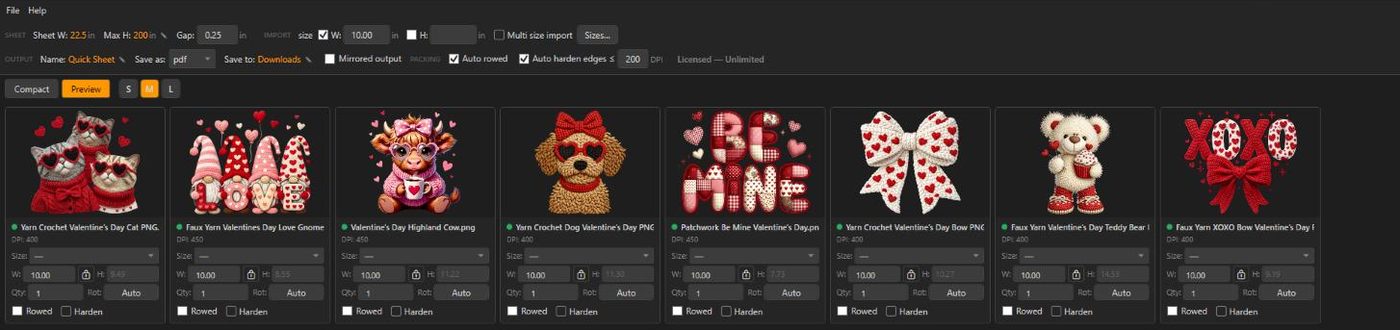
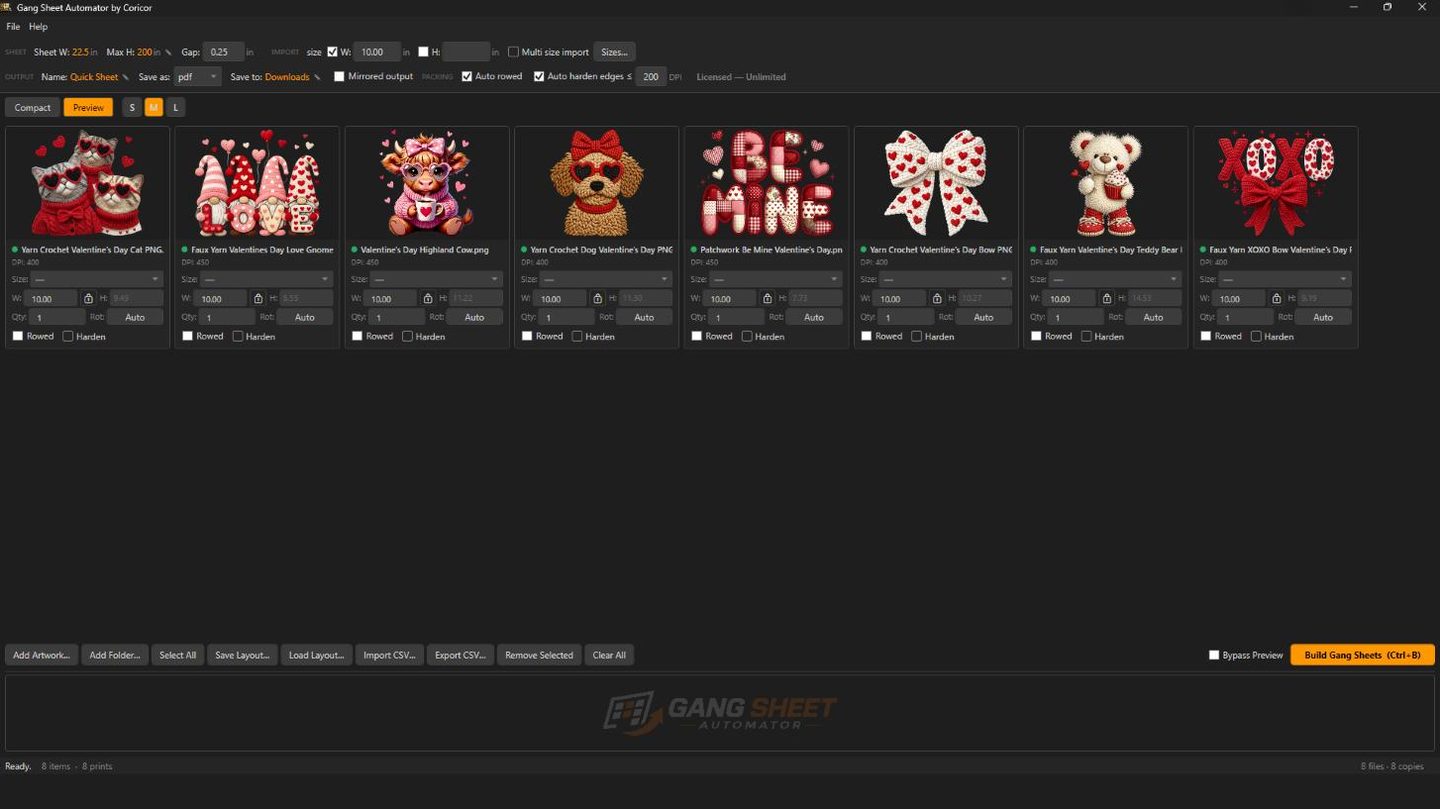
Gang Sheet Automator job list — DTF artwork with per-design sizing, quantities and DPI quality indicators
Drop In Your Artwork

Batch-add PNG, WebP, SVG, PDF, and Adobe Illustrator files. Set size and quantity per design — and a color-coded quality dot flags low-DPI artwork before it ever reaches the film.

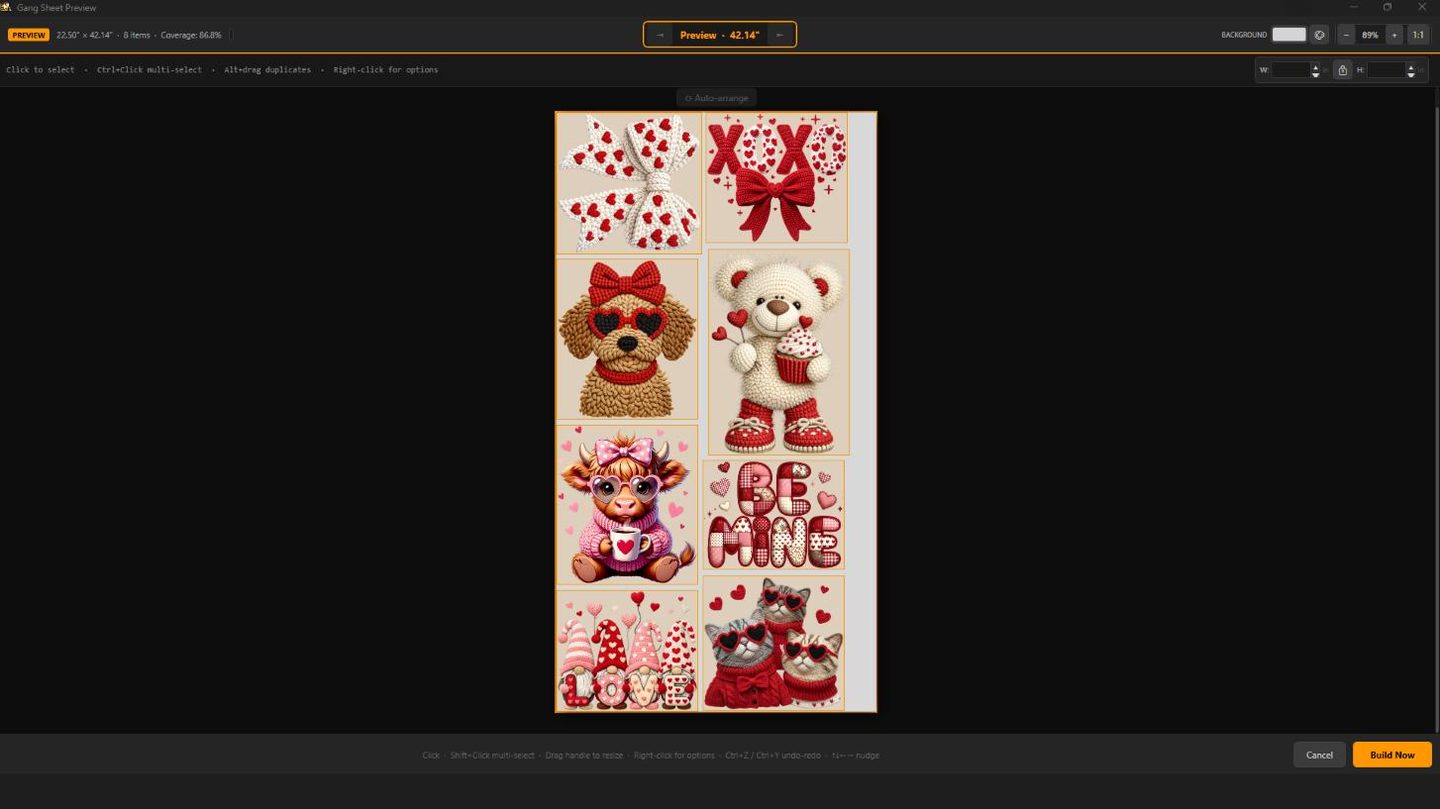
Gang Sheet Automator preview editor — eight DTF designs auto-nested onto a gang sheet at 86.8% coverage
Review Every Sheet Before You Print

The SmartNest engine packs your designs onto the fewest sheets automatically. Drag to fine-tune placement, nudge with the arrow keys, or one-click auto-arrange, then export print ready PNG or PDF.

Gang Sheet Automator Multi Size Import — one artwork file duplicated across a full size run
One File, a Whole Size Run

Define your sizes once — youth, adult, XL, each with its own quantity — and every design you import is duplicated into the entire run automatically. Perfect for apparel shops selling the same art in every size.

From Files to Film in 3 Steps

No complicated setup. No design skills needed. Just load, configure, and build.

1
Add Your Artwork

Drag and drop your DTF artwork — PNG, WebP, SVG, PDF, or AI files. Set print sizes and quantities per design. Batch-add entire folders at once.

2
Configure Your Sheet

Set your DTF roll width, sheet height, gap spacing, and output resolution. The gang sheet builder handles the rest.

3
Build & Export

Click Build. Your print-ready DTF gang sheet is exported as PNG or PDF in seconds, ready to send straight to your direct-to-film printer or RIP software.

Works With Your Existing Files

No conversion needed. Gang Sheet Automator natively reads every major artwork format used in DTF production.

PNG
WebP
SVG
PDF
AI (Adobe Illustrator)
PNG Export
PDF Export

Simple, Affordable Plans

Start the DTF gang sheet builder free with 7 trial builds — no account required. Upgrade when you're ready to go unlimited.

View Pricing

Ready to Pack More, Waste Less?

Join the waitlist and be among the first to access the DTF gang sheet builder when Gang Sheet Automator launches. A native Windows app built for direct-to-film print shops — no browser required.